
地產大亨,大富翁(1999) CD版
You are using the Safari browser. Only Safari on the latest macOS Sequoia 15.4.1 or iOS 18.4.1 is supported for proper functionality.
You are using the Firefox browser. Only the latest version of Firefox is supported.
Please enter 'about:config' in the Firefox browser, then search for 'javascript.options.wasm_js_promise_integration', set its value to true, and refresh this page to achieve optimal performance.
Please enter 'about:config' in the Firefox browser, then search for 'javascript.options.wasm_js_promise_integration', set its value to true, and refresh this page to achieve optimal performance.
Please install and use the latest version of Chrome or Edge for the best experience.
Mobile device browsers are not supported due to memory limitation.
Your browser storage quota is low and you may not be able to load the game correctly.
Usage: Available:
Usage: Available:
To help us improve, please disable ad blocker for our site. Start game in seconds.
Become a Gold Member to enjoy an ad-free experience, unlock cloud saving, and help us to improve.
Some animated ads may impact game performance. If the game becomes choppy, please close the ads.
Some animated ads may impact game performance. If the game becomes choppy, please close the ads.
Loading...
🛈Windows games require the latest desktop CPUs for optimal experience. See the help page for more details.
地產大亨,大富翁(1999) CD版 (1999)
Monopoly (1999)
Artech Studios

Play
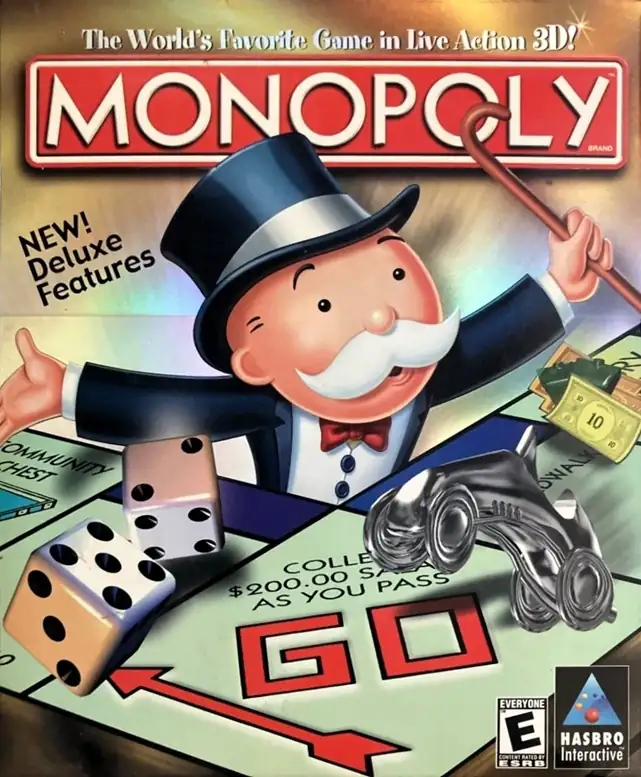
這款由 Artech Studios 開發的《Monopoly》,是經典地產交易桌上遊戲在 Windows 與 Macintosh 上的一個相當完整的數位化版本。它保留了原作最核心的玩法,也就是買地、收租、蓋房屋與旅館、透過資金與資產壓制對手,最終讓其他玩家破產出局;但本作並不只是把桌遊規則原封不動搬上電腦,而是加入了更強的視覺演出與自訂內容。公開資料提到,遊戲裡的棋子不只具備 3D 動畫,還各自帶有語音表現,連 Mr. Monopoly 本人也會以主持人的形式參與整體流程,使整個對局更有“在看一場互動桌遊秀”的感覺。此外,玩家除了能使用經典棋盤,還能選擇主題城市棋盤、調整多項 house rules,例如 Free Parking Jackpot 與監獄規則,甚至自行建立帶有自訂名稱與圖片的棋盤。也因為有這些功能,這一版作品不只是單純的電子桌遊,而是一款很有 1990 年代末家庭 PC 遊戲風格、兼顧娛樂性與自訂樂趣的《Monopoly》改編作。
Upload Save File
Upload save file will orverwrite current progress and restart, do you wish to continue?
Warning
Welcome
Welcome to playing retro Windows games in your browser! To ensure your game saves properly, please exit the game and wait for Windows to shut down completely. Make sure you see the "It is now safe to turn off your computer" message before using the save functions to avoid potential disk corruption.
To save disk changes made by the game, you must manually use the following save functions:
 Save to cloud (Gold member only).
 Save to local browser storage.
 Save and download the save file.
To save disk changes made by the game, you must manually use the following save functions:
Save to cloud (Gold member only). Save to local browser storage. Save and download the save file. Don't show this again.